Wednesday, 22 October 2025

Language Acquisition in Numicon maths

My inquiry focus has evolved throughout the year, while maintaining a central focus on language acquisition. I initially investigated how collaborative group work and peer sharing could enhance learning outcomes, a focus well-suited to our use of Numicon maths materials, which naturally encourages group talk and collaboration. 

Over time, my investigation narrowed from observing how peer-to-peer conversation supports learning to exploring specific strategies for promoting the active use of new mathematical language during lessons. The goal is to enable students to use new language confidently during guided lessons as well as independent settings. 

Each Numicon topic introduces new vocabulary for students to learn throughout the week. Since intentionally focusing on the new vocabulary, I have observed an improvement in students' use and understanding of mathematical language. They are now not only using the terms more confidently but are also beginning to generalize them to new contexts. I particularly enjoy seeing students use the language in real world contexts as it shows a true understanding of the language and concepts. 

My approach involves making the vocabulary visible on a word wall and in weekly lesson slides on the class site. I dedicate time at the beginning of each lesson to review the words and their meanings with the class. During group work and peer-sharing sessions, I encourage the use of specific language and direct student's attention to the word wall. Observing student conversations has become a powerful formative assessment tool, and I have noted a  consistent increase in their application of new terminology when they share their ideas with the class.

With summative assessments coming up, I am interested to see if students show an understanding of the maths terms in the PAT test as well as in Numicon assessments. 


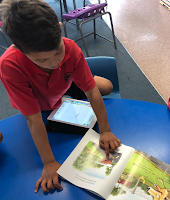
In the photos below, you can see children using materials whilst having group discussions. 


Weekly group slides on the class site: Vocabulary is visible.


Thursday, 29 May 2025

Numicon Maths: Collaborative learning

This year my inquiry focus is based on the core learning area: Maths.
My inquiry question is:

How does collaborative group work and peer share time enhance learning outcomes? In term 1, the junior school (year 1-3) started the Numicon maths programme. As soon as we started to use the Numicon materials, I could see that collaboration and group talk was instantly boosted. I hope to see learning progressions lift in maths as a result of the collaboration and peer share time that Numicon has made space for.

I will be able to measure the outcome based on language acquisition. My hope is that students will have more confidence to explain their thinking using the language taught in Numicon lessons or to show their thinking using the Numicon materials.

I have already seen that the Numicon lessons have made space for children to share their ideas with the class or in groups through talk moves like 'what have you noticed' as children are constantly encouraged to share what they notice about what they see before the teacher explains/gifts the new language. The Numicon Shapes, rods, number lines etc all give children engaging visuals and they are very quick to talk to their peers about the exciting things that they notice.

As you can see in the photo below, one student is proudly explaining her thinking to the class. You can also see children in groups, sharing materials. As they work together, they come up with all kinds of ideas about their maths.

I filmed a Vosaic video of myself teaching one of the Numicon lessons to the whole class. Afterwards, I typed my inquiry question as a prompt into the Vosaic 'AI Mate' tool and it gave me some fantastic feedback!


Below are screenshots of the feedback. I felt that the AI Mate tool answered my prompt really well and I was really encouraged by the positive feedback and suggestions. It even gave a percentage of teacher talk time vs student talk time!

This is my general feedback without the specific prompt typed it:


This is the feedback I received when I typed in my inquiry prompt:

'How does collaborative group work and peer share time enhance learning outcomes?'


Monday, 6 May 2024

Inquiry 2024: Structured phonics

This year my inquiry question is:

How do I effectively teach a structured approach to phonics?

Most people would quickly recommend BSLA or another structured literacy programme. 

Great news! I will begin training in BSLA next term.
However, in the mean time, I have started my own phonics plan with my reading class. 

At the beginning of the year, Charlotte Walker (teaches the other half of year 3), carefully placed children in each of our reading classes based on their reading ages. We noticed that there was a large chunk of students reading at blue and green on the colour wheel (5.9-6 years of reading age). Therefore, we placed all 21 of them into my reading class together.
I noticed big gaps in their basic phonics knowledge. Many of them had good comprehension but struggled to decode. 

Therefore, I decided to base my inquiry on these children.

Something to ponder..
The children that were taught BSLA in year 2 had much stronger decoding strategies than those that didn't do BSLA. However, I noticed that several of these BSLA students had poorer comprehension and found it more difficult to make predictions, retell a story or infer. So my question is, how do I focus on phonics whilst also reading stories that are rich and give the students a lot to talk about? 

I am currently balancing a mix of phonics lessons (Sunshine Decodables) and PM books (with a focus on comprehension) in my weekly plan.

So far, I have been following the Ready to Read scope and sequence as well as the Sunshine Decodables Scope and sequence. I have identified the letter sounds, digraphs and blends that each group needs to work on and teach at a small group level as well as at a whole class level when introducing new phonics of the week. 

Not only are we focussing on phonics through books and whole class lessons, we also play games, watch videos, use flashcards and make use of our class library. My class has been enjoying choosing whichever books they'd like to read alongside a phonics task (as seen in photos below).

After only 3 weeks of a big focus on phonics, I have already noticed a difference in my class' confidence to decode unfamiliar words. I'm looking forward to seeing the progress that they make and will keep you updated. 


Tuesday, 23 May 2023

Inquiry 2023: Spicing up the vocabulary

This term I have been to and froing with inquiry ideas. After changing my inquiry focus completely, I finally came down to this question..

How can I support my learners to develop an interest in acquiring new vocabulary to accelerate their reading and writing?

After a lot of thought, I realised that I want vocabulary acquisition to be a focus this year because:

1: I have many learners who are reading at or above their age who need to expand their vocabulary in order to comprehend difficult texts

2: I have many very capable writers who needs to make their writing more creative

3: Teaching students how to add flavour to their writing has not been a strength of mine in past years and I want to get better at this.

4: I've had many instances this year when I've watched my class soak up new words like sponges... I forget how quickly children can take on new words!

Focus Group:

My focus group consists of 6 students who are all in my reading and writing class. They are all reading at 8.5 - 9 years of age which is above their reading age. The students in this group have already begun to show an interest in vocabulary acquisition through reading chapter books at home and eagerly discussing new words during reading discussion time. One of them in particular has been showing curiosity and asking 'what does that mean' every time he comes across an unknown word. I want to foster that eagerness that some of them already have!

How?

  • Integrate reading, writing and inquiry
  • Visuals eg:
    Interactive word walls, word wall for class read alouds, posters, childrens vocab work on walls
  • Poetry
  • Equal mix of non-fiction and fiction
  • Personal word banks.. diary? Little notebook?
  • Synonyms, similes, phrasing, adjectives
  • Read alouds every day but with even more focus on the vocab and meaning
How will I track/see progress?
-I will compare the specific score of vocabulary in Term 1 - Term 4 Easttle writing tests
-Compare results in running records for the comprehension and vocabulary section from mid year to end of year tests
-Compare an independent narrative sample from beginning of year to end of year 

What has already been working well?

  • Read alouds! I've made sure to do a whole class read aloud every day the past few weeks. When we've come across interesting vocabulary in the stories, I've written the words up on the board/a poster instead of just discussing it and moving on. I have actually seen some students use those new words from the book in their writing without being prompted to. What a great start!
  • Visuals. I did a fun and creative synonym activity with the class. I printed their work and hung it up. The class has been excited to look at the hanging words and use them in their writing.


Sunday, 18 September 2022

Inquiry focus: Getting the ideas flowing during writing

Inquiry focus 2022:

For the past couple months, I have been asking myself 
"how can I help children to come up with their ideas independently for writing?"

"how can I get children talking and ideas flowing easily?"

Focus group: 6 children
Writing at: early year 1 to early year 2.
I have identified a few key reasons why this group is struggling to write however decided to focus on just one: ideas.

The struggle with ideas:

-There has been a reliance on ideas coming from me for writing. I realised that I have been in the habit of feeding ideas to this group instead of finding ways for them to become confident at coming up with ideas themselves. 

-During small group time, when asked for their ideas I have often been met with silence. The children in my focus group have difficulty knowing where to start when sharing their ideas with others. 

-When writing independently, children in my focus group can write 1-2 sentences in a writing session. They find it very difficult to know what to write. 

-Retaining ideas: Students can say a couple of sentences out loud but struggle to retain the words in their head when going to actually write them down.

-Elaborating on ideas: there are a couple of children in this group who are able to come up with one to two ideas and can write several sentences however each sentence is the same idea repeated in a different way. 

What have I been doing to improve ideas in writing?

Group activities: Mixed ability groups working on a task together. Tasks have been hands on and have required groups to talk about ideas with each other and agree on ideas before writing them down. During group activities, the noise level in class is not expected to be quiet, it is a collaborative space and children are all free to talk about their ideas with each other. 

Voice typing: 

I haven't been a fan of voice typing in the past because children often come up with sentences that don't make sense. This is because they didn't check that voice typed words were actually what they said out loud. I have also found that voice typing doesn't encourage children to practice spelling.
However..
A couple of children in this focus group have recently been giving voice typing a go on their iPads and it turns out that these children have plenty of awesome ideas when talking out loud! 

Voice recording:

Record yourself on Explain Everything, listen back to the recording and write what you have recorded. This has helped for children who struggle to retain ideas whilst writing them down.

Getting children talking during class lessons: I've learnt to hold back from feeding my class all of the ideas. I realised this just encouraged children to rely on me for ideas and allowed them to zone out during a lesson. Instead, I've gotten into the habit of helping children to actively participate throughout a lesson by turning to their neighbour and sharing ideas.

Elaborating on ideas: We have done several group activities where each child in the group has been asked to come up with a different sentence about the same topic. Learning to elaborate on ideas with repeating ourselves.

A lightbulb moment for me...

I remembered that writing doesn't need to be a silent time all the time! I got into the habit of expecting writing time to be very quiet.. always. I've been working on making writing more fun and collaborative by creating opportunities for children to talk about ideas with each other and learn off each other during writing.


Sunday, 4 July 2021

Fun Phonics

Fun with materials!

This term, we have been having fun with phonics by using hands on materials like modelling sand, magnet letters and lego blocks. 

As you can see in the video, my students have been learning their word families by clicking together the correct families with lego blocks. This has been for children reading in the red-green levels. It has been a fun activity for children to do independently but has also been a good tool during small group reading time. For example, if we have been learning the -ay word family, I would only pull the -ay words out of the basket and use them in that reading session. The children have enjoyed playing together and as you can hear in the video, they've been able to help each other while playing.

Another fun activity we have been doing is modelling sand word families. Children press magnet letters into the sand to create the word families of the day. 

**One thing I realised is that I need to be careful with which magnet letters I give children. As you can see in the video, I gave a child a capital Y, so when he wrote the words, he wrote saY, waY, daY etc. This was a good learning point as I can see that they are still learning about capital and lower case letters. 

Make it, write it, say it...

Children use their iPads to take photos of what they have made and then write the words several times.  When writing on an iPad, I have them write with a stylus so they can get practice physically forming the word. Muscle memory is important! Other days, I may have them write the words on a whiteboard or with chalk outside. Finally, they record themselves saying the words several times. After this, they can play with the word family blocks to support what they just learnt. 

Monday, 24 May 2021

Reading Inquiry: Making phonics fun!

At the beginning of this year, I noticed a common problem across my year 3 class:

Many students did not have the confidence or strategies to attempt to read or write new words. 

I spoke to Jocelyn, who teaches the other year 3 class at Pt England School. She noticed the same problem amongst a number of her students as well. Between our classes, we identified a group of 19 students (that sat between the reading levels of red to blue) who all had similar struggles:

-Lack of confidence to write initial letter sounds
-Lack of confidence/strategies to read initial letters sounds
-General letter confusion (unable to associate a letter with the sound that it makes)

As a result of these problems, many of the students in this target group struggled to write one-two sentences independently in their Easttle test. Five of the students in my target group wrote four or less words in their test because they didn't know how to give tricky words a go. As I worked more with them, I learnt that they were hesitant to make an attempt because they just didn't know where to start. During reading, this same group of students guessed words without looking at the initial letter sound. For example, one student read 'I can ride my car like this' when the word should have been bike instead of car. It was a common habit to gloss over words without attending to the first letter. Other times, they would reach a word, for example, we, but struggle to read it because they were not sure what the first letter sounded like. We identified that the most commonly misread letters were g, y, w, b, d and h because the letter name either doesn't match up with the sound that it makes, or the letters look similar.

So, here is the question we asked ourselves as we began our inquiry:

How can an integrated approach to reading and writing impact learners decoding and reading fluency?

Jocelyn and I have established repetitive daily tasks that our target group can do during reading and writing. We decided to be more intentional about the tasks that students do when they are not with the teacher. Instead of question-answer activities, we created tasks that meet their visual, audio and tactile learning needs. Students need to have the opportunities to 'read it, make it, write it, say it', as often as possible, so we decided to create a collection of hands on resources to share between our classes. These resources help students to build confidence in letter/sound knowledge, blends, sight words and word families. These include an assortment of fun letter sound games, blend games, sight word games, chalk, playdough, lego, moulding sand, magnet letters and iPad EE's that students can use with or without the teacher.

As seen in the video, we are also consistently making a connection between reading and writing through the use of our yellow alphabet cards and orange blends cards. We use these while reading books as well as during writing time.

After one term of being intentional about integrating reading and writing through fun tasks, we have already noticed a huge improvement in confidence in letter sound knowledge as well as blends knowledge. Students are really enjoying reading and writing time as there is now a wider, more engaging range of activities to do.

Please see below screenshots of some of my reading pages on our class site. 


Sunday, 20 September 2020

DFI week 9 - Revision and reflection

This week was the final week of the Digital Fluency Intensive. I sat the Google Educator Level 1 exam and feel so proud of myself for doing it. We don't receive our results for a little while, however I'm not so worried about the result, as participating in the DFI course in itself taught me useful skills that I can use with my class. The exam had many scenarios that I needed to complete which required knowledge of all areas of the Google Suite - it made me realise how much more confident I am now with using all of the tools in Google Suite. 

Upon reflection of DFI, I am very happy about how confident I am at not only using the tools in Google Suite for teaching, but I am also now more aware of how to use G Suite the most effectively and efficiently for lesson planning and teaching lessons. I feel like I am able to be more creative with the way that I plan, present material and teach lessons since I have been given the time to be exposed to the ways that other teachers use G Suite. For example, I wasn't making us of Google Forms before because I wasn't aware of all of the different purposes it can serve as I didn't know about all of it's functions. I feel like I can be a bit more creative and use it as a tool in every day lessons like reading and maths - not just as a way to take surveys.

Something else that I liked about this course was the time that we were given to explore and to be exposed to other teachers' work. I liked having the time to explore other class sites and to watch Class OnAir episodes. There are always endless ways that we can be inspired by other teachers to improve our own creativity, but it's just having the time to see their work that is tricky! I appreciated having time set aside just to do that. I also appreciated being given the time to practice using the new skills that we learnt and having the support from our facilitators. Thank you Amie!

In light of lockdown..

I am proud of our year 3 class site and how easy it was for students to navigate it for home learning. I have my colleague Clarelle to thank for the way that it was set up and organised! We had a Google Meet with our students every school day for both lockdowns. There were times that we felt discouraged when holding the Meets as there were days that not many students showed up, however I am proud that we didn't give up.

The one thing that I regret about my teaching during lockdown is that I could have done more lessons that were topic or needs specific. There were a few days where I had a one on one Meet with a student and his parent when I got to listen to him read to me while I presented his book onscreen. It was awesome because we don't usually have that quiet, uninterrupted time in the classroom, so I'm glad I made use of that opportunity. I did a reading lesson with a small group of students that were all reading the same level on day as well. We had a good group discussion about the book and students took turns to read aloud for me through the Meet. I do wish that I made better use of the opportunity to listen to students read aloud and have group discussion about our stories. If we have another lockdown, I will organise times each day for levelled group reading and maths lessons. We have the digital technology to do this and I just need to make it happen!

Something that I will take forward into this new 'era' of teaching is rewindable learning. During the first lockdown, I created and shared maths videos each day that taught a certain strategy. Students were able to play these videos over and over at home while they completed their task. During DFI I was challenged to make my learning on the site more rewindable. I plan to share more videos on my learning pages so that students can have a better understanding of strategies and concepts whether they have been absent from school, late for a lesson or need to hear the same lesson again to understand it. I am looking forward to becoming more creative and efficient in the way that I use technology to teach!


DFI - Computational Thinking


The focus of DFI week 8 was computational thinking. We learnt about the new Digital Technologies Curriculum and the Manaiakalani principle of empowerment. My favourite part of week 8 was having the opportunity to explore different coding apps and sites that students can use. The websites/apps that I enjoyed learning about the most were Lightbot, the MineCraft Hour Of Code Tutorials and Scratch Junior.

I also enjoyed having the opportunity to look into a couple of teacher's Class OnAir sites to see how they have been teaching computational thinking with devices. I looked into my colleague Clarelle Carruthers' Class OnAir site and found it useful seeing how she has used Scratch Junior in class with students of the same age. It was also useful to watch her teach the class how to code using the Codey Robots as I would like to teach my class how to use these as well! 


Above are photos of my students beginning to learn how to use Scratch Jr as well as the Scratch Jr activities site that we have been following.

During DFI week 8, we were given the opportunity to choose a break out group based on the coding programme we were interested in learning more about. I chose to learn about Scratch Jr as I have wanted to use this in class however wasn't confident with it. We were introduced to the activities section on the Scratch Junior site, which not only helped me to learn how to use the basics of Scratch Jr, but were also so helpful to use in class with my students! Over the course of the week, I went through the activities with my class. Although many have had practice on Scratch before, it was a great way for them to learn a lot of functions they hadn't used before!

After going through several activities as a class, I planned a lesson for my students to create an animation of their own. I read them a story called Why Did The Chicken Cross The Road by Jim Dewar and Simon Williams. As a follow up activity, I asked them to choose to characters from the story and animate one part of the story. It was a lot of fun! I'm looking forward to getting creative and using Scratch for future follow up activities or as a fun whole class activity.


A tool that I learnt about from my fellow teacher Clarelle last week was the Classroom app for Apple. During DFI we have been learning many handy tips on Hapara (Teacher Dashboard) for example, how to view students work. I realised that not all functions on Hapara work the same on iPads as it does for Chromebooks - for example, viewing students current screens. I connected all of my students iPads to the Classroom app on my iPad  last week and it has been incredibly useful! I would highly recommend it to any teachers whose students are on iPads.

Sunday, 6 September 2020

DFI - Devices


Screenshots from the Digital Dig on a Chromebook


This week for DFI we had some hands on practice with iPads, Chromebooks, Explain Everything and Screencastify. 
Although I don't teach with Chromebooks as my class is a 1:1 iPad class, it was useful to learn tips for Chromebooks as I may teach with them again in the future. In previous years, I taught older students using Chromebooks and wasn't always confident with some of the questions students asked when they were stuck on their device, so today was handy! I liked doing the Digital Dig as the keyboard shortcuts were useful and learning about how to magnify the screen was helpful- I've specifically had issues with the zoom function in the past on Chromebooks.

The above Screencastify video was made using the Manaiakalani Cybersmart site. I practiced using Screencastify by choosing one Cybersmart area that I would like to work on with my class - and that is quality blog comments. I haven't personally used Screencastify before and realised how easy it is to use when explaining how to do something on screen. I loved how quick it was to save and upload the video. I will definitely be using Screencastify with my class! In the past, I've had children use it to record themselves reading a story and uploading it to their blog, but I would like to personally use it now. 

Saturday, 29 August 2020

DFI Day 6 - Sites (Enabling Access)

 This week for DFI we learnt how to enable access on our class sites.

It was such an interesting day as we explored other class sites of all different year levels and evaluated them with our group. It was a good opportunity to reflect on the class site that my hub uses as we spoke about what makes a great site and what is not useful to students. We learnt about the two main criteria that makes a site successful - visual appeal and functionality. In terms of visual appeal, I learnt how important it is that the site connects to the learner with relatable and fun images, that it is simple (not overcrowded with information) and that it is bright and bold. In terms of functionality, the key points that I learnt were that learning should be easy to access within just a few clicks and that the site should be easy to navigate for anyone. That is, a parent should be able to find their child's learning, timetable, teacher information etc without someone needing to guide them through it. These are criteria that I feel really proud about when it comes to our year 3 and 4 class site which my colleague Clarelle Carruthers created this year. There are 3 teachers in our hub and we all contribute individually on our levelled learning pages. Next year, I would love to contribute more to the creation of our class site to put what I have been learning into action!

Upon reflection of our site, I didn't want to change anything on the home page or main skeleton of the site as that is not a decision that I can make on my own and I am happy with how it looks. Instead I found something to change on my own learning pages. Each week, I put all of my planning on slides for maths, reading and writing. Usually, it is one slide per week. Dorothy reminded us that the learning on the site should be rewindable and it should be easy for anyone to understand (eg parents). I realised that my maths slides were not rewindable and need an explanation from a teacher as to what each activity is for and what order to do them in. When I say rewindable, I mean that it is not easy to flick back to a specific maths slide several weeks, months or years later and understand what to do with it. Today, I clicked on one maths slide and couldn't even remember what each activity link was for and what the main learning intention was behind those! So I changed the way I do my maths slides so that there are titles, images, videos and explanations (if needed) so that anyone can look at the slide and find it not only more visually appealing but easier to understand. I plan to also make my reading slides more multimodal by adding more videos and images to them as this is something that I haven't done in a while.

Below are screenshots of what my maths slides looked like before and after.


Below are screenshots of our class site for our year 3/4 hub which is called The Block.  These screenshots are of 2 things that I like about our site. The first screenshot shows the home page where the main learning buttons are bold and easy to find at the top of the page. The second screenshot is the page that you land on after clicking the writing button. What I like about this is that the children's names are under each button so they know which group to click on. This makes is really easy at the beginning of the year when children are learning how to navigate the site or later in the year when their levelled learning groups are changed. Learning from previous terms are also linked at the bottom of the page.

Thursday, 20 August 2020

DFI Day 5 - Collaborative Teaching and Learning


Click here to see the Google Site that I created today.


Today we learnt about collaborative teaching and learning through the use of multi-modal texts on Google Sites. Dorothy reminded us of how important it is to keep learning visible - and a great way to do this is by moving teaching online. Digital learning gives students more choice, engages them and opens up new ways for students to collaborate. One way that we can make great use of digital learning is by creating multimodal Google Sites. Dorothy explained that multimodal learning is when teachers provide several different types of resources to enhance a lesson. For example, instead of just providing one book about a topic, we can provide videos, images and supporting texts from a variety of books and websites to support the main text.

The above image is a screenshot taken from the Google Site that I created today. We were given a topic in small groups and shared resources with each other online through a Jamboard. Jamboard reminded me of Padlet. As I have had experience creating Google Sites before, I felt pretty familiar with the basic set up of the site. However, my main take away from today was how to create a site button through Google Drawings. I haven't made buttons before as I wasn't completely confident in making them, so today was really useful to have a good amount of time to practice creating them. I found it a bit tricky at first so I was glad I had the time to play around and work it out. On the 'read' page, I shared several reading resources which are both online and offline. I used the 'watch' page for Youtube videos to support the main texts (Katie's Butterfly and The Classroom Caterpillars). I also created a 'create' page where I could add several activities to the Google Slides deck on that page.

Overall, today was a good reminder for me to make learning multimodal so students have wider and deeper learning opportunities. 

Friday, 14 August 2020

DFI - Day 4: Data


This week for DFI we learnt how to deal with data.
The main tools that we learnt how to use were My Maps, Google Forms and Google Sheets.  
I found it really useful learning how to use forms today. I appreciated the time we were given to practice creating our own form as I had never created a form before! To be honest, I'd never used forms with my class because I wasn't sure how to create one. I feel so much more confident at creating a form now and am looking forward to creating quizzes for class with forms. I enjoyed learning all of the extra tips and tricks with the settings in forms too. I also learnt how to embed a form on my site, which is something that I will put to use! Learning how to use forms has come in good timing - I'd like to create some forms for my students to fill in during lockdown to jazz up their online learning.

We learnt how to create our own personal map on Google Maps today. I always wondered how people personalised their own map. I had a lot of fun creating a map of my favourite places in America and added personal photos to the places that I pinned, along with icons. I think it's awesome that you can also link data from a form to the map - I'm keen to try this out. I think I could get a lot of personal enjoyment out of creating my own maps!

As seen in the slide deck above, we learnt how to use Google Sheets. This section of today's DFI was definitely the most useful to me. I do all of my planning/reflections and keep all of my data on sheets and have only known the basics of how to organise data. I really enjoyed learning all of the tips and tricks, for example shortcuts to save time and ways to make the sheet easier to read with colours and filters to sort it. I also created a chart from sheets for the first time today - something that I also have never done before! Please see the above slides to see screenshots of my main takeaways from Google Sheets lesson. 


Thursday, 6 August 2020

DFI Day 3 - Media

If you can't travel, why not create a scene and imagine you're there!

Today our focus for the Digital Fluency Intensive was Media. 

When Dorothy was speaking about the 'Create' part of the 'Learn, Create, Share' pedagogy, I was reminded of how important it is to get creative with my planning and provide students with the opportunity to either create with physical materials or with digital technology. In my year 3 and 4 class, my students all use iPads and I want to get better at making use of this technology to make learning more fun.

Today I learnt how to create a 'scene' (seen above) using Google Slides and Remove.bg. I already have experience using Google Slides, however found it useful learning extra tricks and enjoyed practicing how to arrange images on the slide. I am really enjoying learning how to use Remove.bg. I would have never thought of creating an animation on Slides using an image of myself because the thought of getting rid of a background seemed too difficult, but Remove.bg is super easy! 

This term, Pt England School is learning all about the world - my class is specifically learning about famous landmarks. Since my year 3/4 class is using iPads, I am going to work out how to do the above activity on Slides on iPads or adapt it to be done on Explain Everything. Either way, I'm excited for my class to use Remove.bg and create a scene of themselves at landmark that we learn about this week!

Today we also learnt about how to use a YouTube account and how to use Google Drawings. I have had experience using Google Drawings, however it is useful learning more tricks on it so that I can become more confident to create good buttons for my class site. It was also great learning that I can use Remove.bg paired with the shaped cropping tool to create a profile picture on Drawings. 

I will share a students blogpost of their own 'scene' once completed - fingers crossed it is successful!


DFI Day 3 - Google Drawings

Today we have been learning how to use Google Drawings as part of the Media segment of DFI. Here is a profile of myself that I created on Google Draw. I will add this to the 'About Me' pane on my blog.

Thursday, 30 July 2020

Day 2 DFI - Workflow

Today was the second day of the Digital Fluency Intensive.
We began by learning more about Manaiakalani Kaupapa and Pedagogy. Dorothy explained to us how digital technology accelerates learning through the acronym RATE (recognise, amplify, turbocharge: effective practice). Recognise - meaning that teachers recognise effective practice and teacher actions promote student learning. Amplify - meaning that technology amplifies teaching and learning opportunities by making it connected, visible, ubiquitous and empowering. Turbocharge - meaning that technology transforms the way we teach and learn by making experiences more creative.

Today I learnt how to organise my Gmail better as well as my tabs. I'm not an overly organised person so this was very useful. I have now pinned a lot of my important tabs and have some useful tab tips up my sleeve to make my workflow smoother. I now have a list of the chrome extensions for tab organisation and will try these out over the week to see which one works best for me.
I also found it useful learning how to use Google Keep more effectively - for example how to use the recording tool and the location tool. The location tool will definitely come in handy as I am a forgetful person! Google Keep will be useful in my own every day life.

The main Google Suite tools that we learnt about today were Google Meet and Calendars. I learnt how to create a Google event or Meet and how to invite students/colleagues to it. I also learnt how to RSVP with a note. We had plenty of hands on time learning how to present our screen on Meet and record the meet whilst discussing a student's blog post. During lockdown, I had Google Meet videos with my class every day so already had practice doing this but it was still useful having more time to play around with it to be 100% confident in case we need to do distance learning again!

Below is a video of today's task:

Thursday, 23 July 2020

Day 1 DFI - Core Business


Today was our first day of the Manaiakalani Digital Fluency Intensive. We are doing this online using Google Meet over the next 9 weeks.

Today we learned about the origins of the Manaiakalani story and how the use of technology in Manaiakalani schools has benefited our children. I enjoyed learning new the tips and tricks that help us to be more efficient on Google Suites for example keyboard shortcuts, how to pin a tab and how to use Google Groups. These tricks are going to improve my workflow a lot. We were also reminded to organise our Google Drive - which is what I need to do!

Today we spent a lot of time learning how to use Google Docs more efficiently. As I am teaching with iPads this year, I found it a bit tricky at first to think of how to apply what we learnt to my own teaching (I mostly use Explain Everything on the iPads as it is easier for the year 3's to navigate). However I thought that the 'Eyes On Text' activity was a great idea and I am going to adapt it a bit so that it can be used on Explain Everything. This will be an awesome independent reading task to increase mileage and I'm looking forward to starting this with my class. 

We also learnt how to create an infographic using Google Docs. I usually use Google Slides or Canva to create posters as I don't find Google Docs as appealing on the eye when doing this but we learnt some great tips that made them look better than I expected. I especially enjoyed learning how to use remove.bg to remove the background from an image because I've tried other websites and photoshop to do this before but remove.bg was so easy to use. Our facilitators recommended that we create an infographic that we can use in class. My students have been learning a new morning routine and this visual is going to help them a lot. I will stick it to the front door for when they arrive at class in the morning.


Monday, 13 April 2020

My Inquiry for 2020

This year I am teaching in an ILE which we have named 'The Block' alongside two other teachers. We have 76 children in our space.

My inquiry question this year is:
How can play based maths increase maths knowledge and understanding of mathematical concepts?

Here are some of the strategies that I will try:

-DMIC style lessons with half the class at a time, working in groups with materials like toys and fun maths resources. I will question them and we will have discussions which will give them time to show their thinking by moving materials and talking about them.
-Free play with maths games like snakes and ladders, dice games, cards, mathematical card games.
-Planned play with lego, toys etc in small groups to teach strategy and concepts - eg multiplication ‘show me 5 groups of dinosaurs… how many in each group?’
-I want to get creative and make new maths games so that I have a large range of resources.


I am excited to see what happens when I teach children how to use materials when solving problems and my goal for them by the end of 2020 is that they can get to the point where they will know when to use materials and where to get them from without my prompting.

I am also excited to use games and create a lot of fun, hands on resources for my class to use this year. I believe that a lot of learning happens when playing games and I haven't done enough of this in previous years! As amazing as digital technology is, I believe hands on learning activities/games are also crucial for children to engage in maths.

Maths has already been such a positive experience for the children and I'm having a lot more fun teaching it this way! They have been having a lot of fun and haven't realised that they are actually learning through the games. They're playing games that relate to the area of learning that I am currently teaching them as well as games that give them time to practice basic maths knowledge like bonds to 10 and counting on. I will keep creating new games and resources as the year goes on.

It has been awesome to hear the conversations and see how children are helping each other in their learning. They have been playing games in mixed ability grouping and naturally those that are challenged are being helped by their friends! It's also great to hear them practice counting aloud whist playing together and learn how to use materials to problem solve.


Here are some photos of what we have been doing so far.


Friday, 27 September 2019

Experiencing Success!


A quick recap on what we have been working on..

This year, my goal has been to lift the achievement in comprehension during reading. Last term, I realised that having a focus on vocabulary was the solution. After reading testing earlier this year, I noticed a pattern in my focus group's results. All 8 students failed comprehension because they could not understand the vocabulary in the text.

Therefore, this term we worked extremely hard on vocabulary! The students in my focus group worked on follow up tasks that were vocabulary rich, we did a huge focus on synonyms and had in depth discussions during reading about the new vocab in the stories. We worked on strategies for solving unfamiliar vocabulary as well. I stuck new vocab from our stories on the windows and hung colourful synonyms in places where my focus group could refer back to them at any time. I also did a big push on the use of new and exciting vocabulary during writing time for my focus group.

The Success!

At the end of this term, I did running records on my focus group. It was a success! As you can see in the table, anywhere that is coloured green, shows improvement (whether that be improvement in decoding or comprehension). 6/8 of the focus group made an improvement in comprehension and 4/8 of the group passed the test. One student actually passed comprehension but didn't pass the test as she is working on decoding strategies.

Where to next?
The problem now is retaining the vocabulary. I keep reminding myself that 'if you don't use it, you lose it'. I've noticed that my students are quickly forgetting the new vocabulary that they have been learning. My question now is, how can they retain it? 

My other challenge is, there are 2 students in the focus group that made no improvement in their comprehension between the May and September running records. They both really struggle to understand the stories that they are reading. I will be working very hard with these two this term in the hopes of helping them to make progress in their reading by the end of the year.


Monday, 27 May 2019

New data = A new focus group and a new focus question


As seen in the slide deck above, I have recently completed reading testing with my class. Upon analysing data, I realised that I needed to change my inquiry focus as well as my focus group. The paragraph in the slide deck explains the reason behind these changes.

My new question for this term is 'how do I lift achievement in comprehension for students reading above ten years?'

During our collaborative inquiry meeting, my inquiry group gave me some suggestions. A couple of people said that I should focus on teaching my Hulk and Wonderwoman reading groups new vocabulary. The more vocabulary that students have, the more that they will understand difficult texts. I looked at the reading tests again, and I saw that the comprehension questions that students struggled with were mostly the ones that included difficult vocabulary. So, this term, I will be focussing on gifting and discussing new vocabulary with these two groups.